Creating a Scalable Design System for a Complex SaaS Platform
Overview
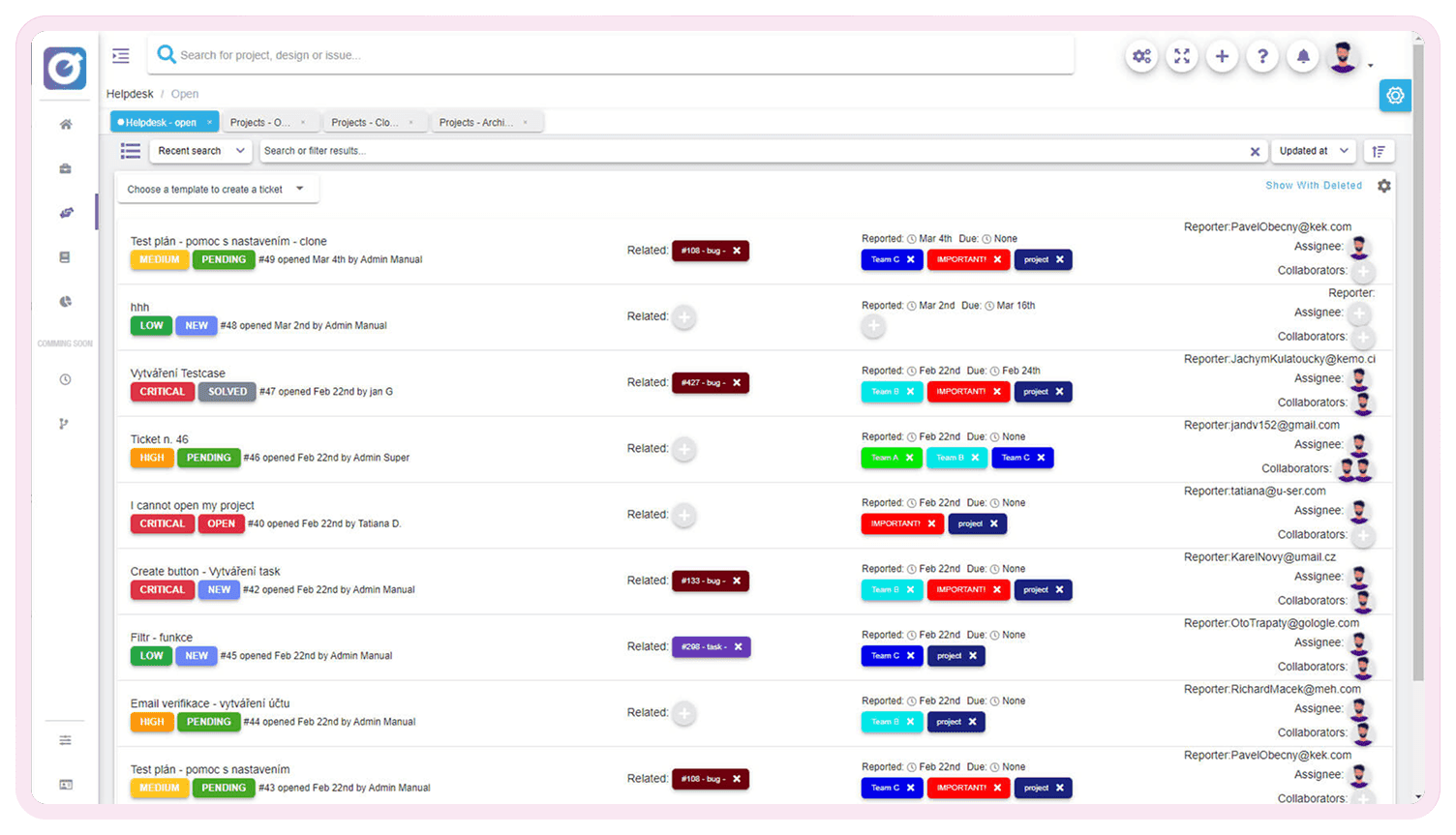
When I joined the juno.one project management platform, the product had already grown into a complex ecosystem of modules including task management, documentation, and test case management. Each module could function almost as a standalone application.
However, the interface had evolved without a design system. UI patterns were inconsistent, components were duplicated in code, and accessibility standards were not considered.
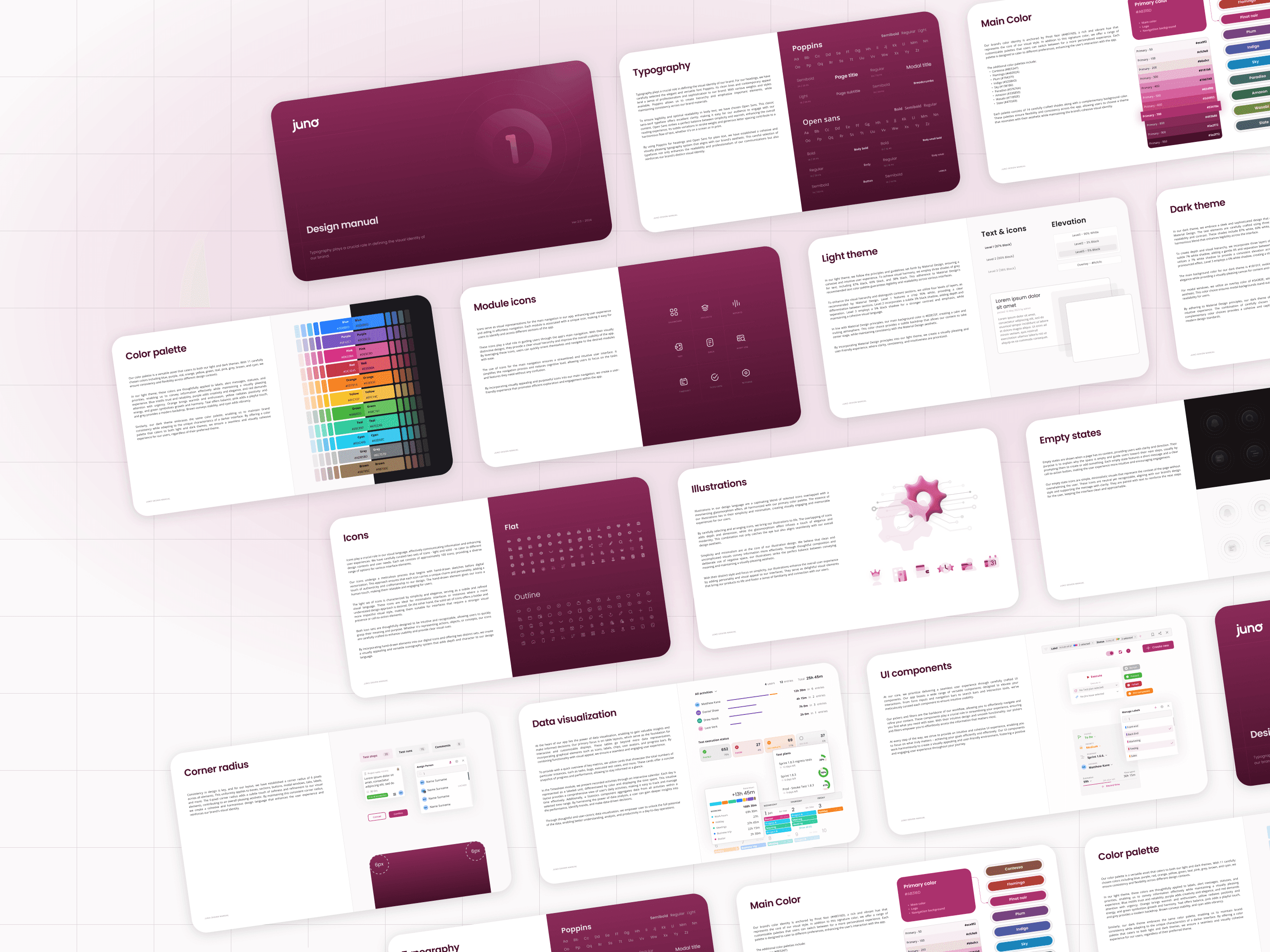
To address this, I designed and introduced a comprehensive design system covering visual foundations, reusable components, and documentation. The goal was to unify the experience across the platform while improving development efficiency and long-term scalability.
Client
juno.one
Timeline
2024
Tools used
Figma
Illustrator
Problem
The product had grown organically without shared UI standards or reusable components.
Each module had its own visual patterns, interaction styles, and layout structures. As a result, the platform looked visually inconsistent and lacked a professional product feel.
From a development perspective, many UI elements were duplicated and hardcoded, which meant even small UI changes required updates in multiple parts of the codebase. This slowed development and increased maintenance complexity.
The absence of accessibility guidelines and structured design principles also made the interface harder to navigate and less intuitive for users.
The challenge was to bring consistency, usability, and scalability to an already developed and feature-rich product.
My role
I was responsible for designing and implementing the design system from scratch.
My responsibilities included:
• Defining visual foundations (color, typography, spacing, elevation)
• Designing reusable UI components and interaction patterns
• Establishing accessibility and usability guidelines
• Creating iconography and illustration sets for product states
• Building a structured Figma component library with documentation
• Collaborating with developers during implementation
The goal was to create a system that would improve product consistency while enabling faster feature delivery.
Actions
The redesign was structured around three core initiatives.
1. Establishing Design Foundations
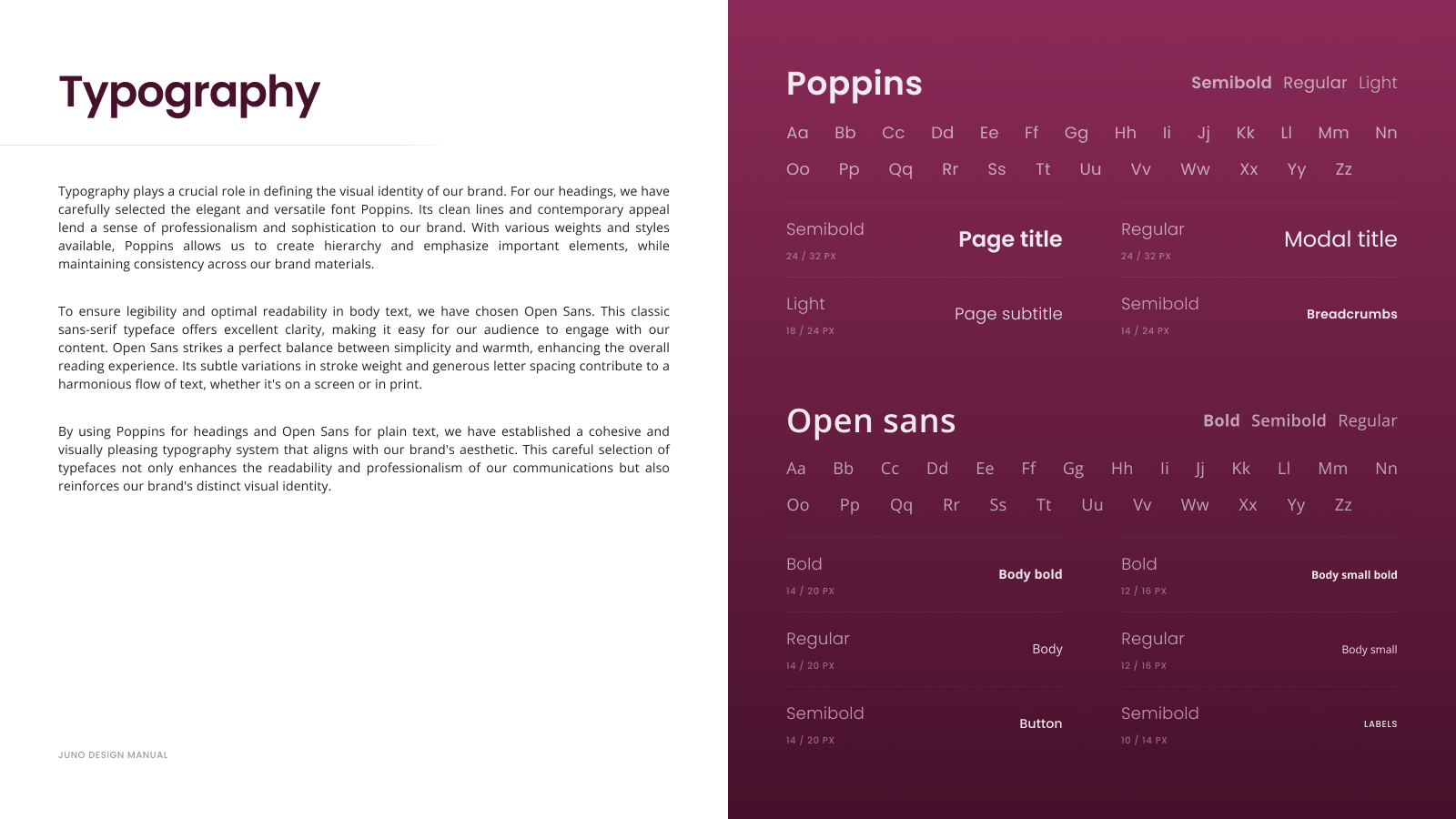
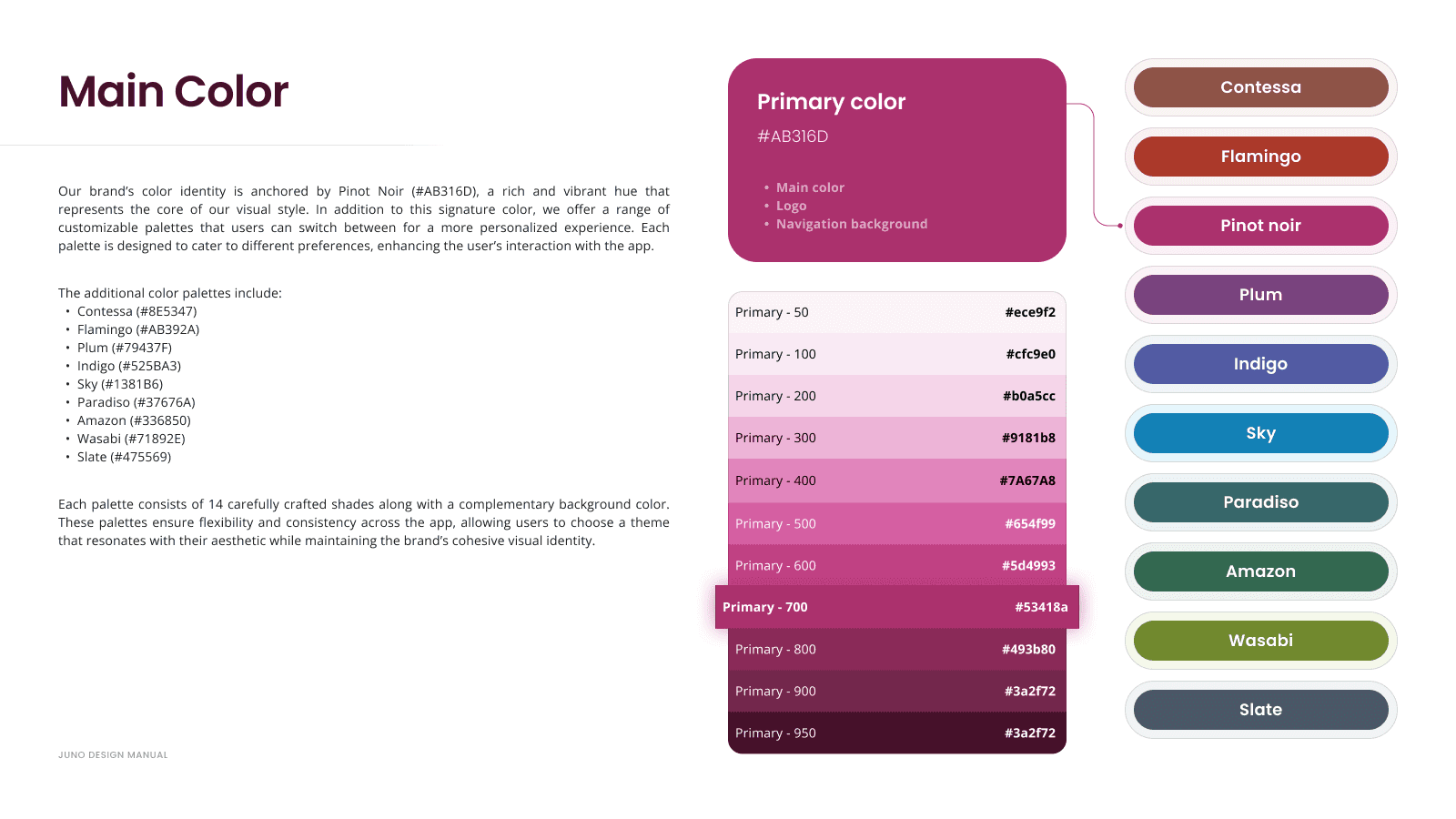
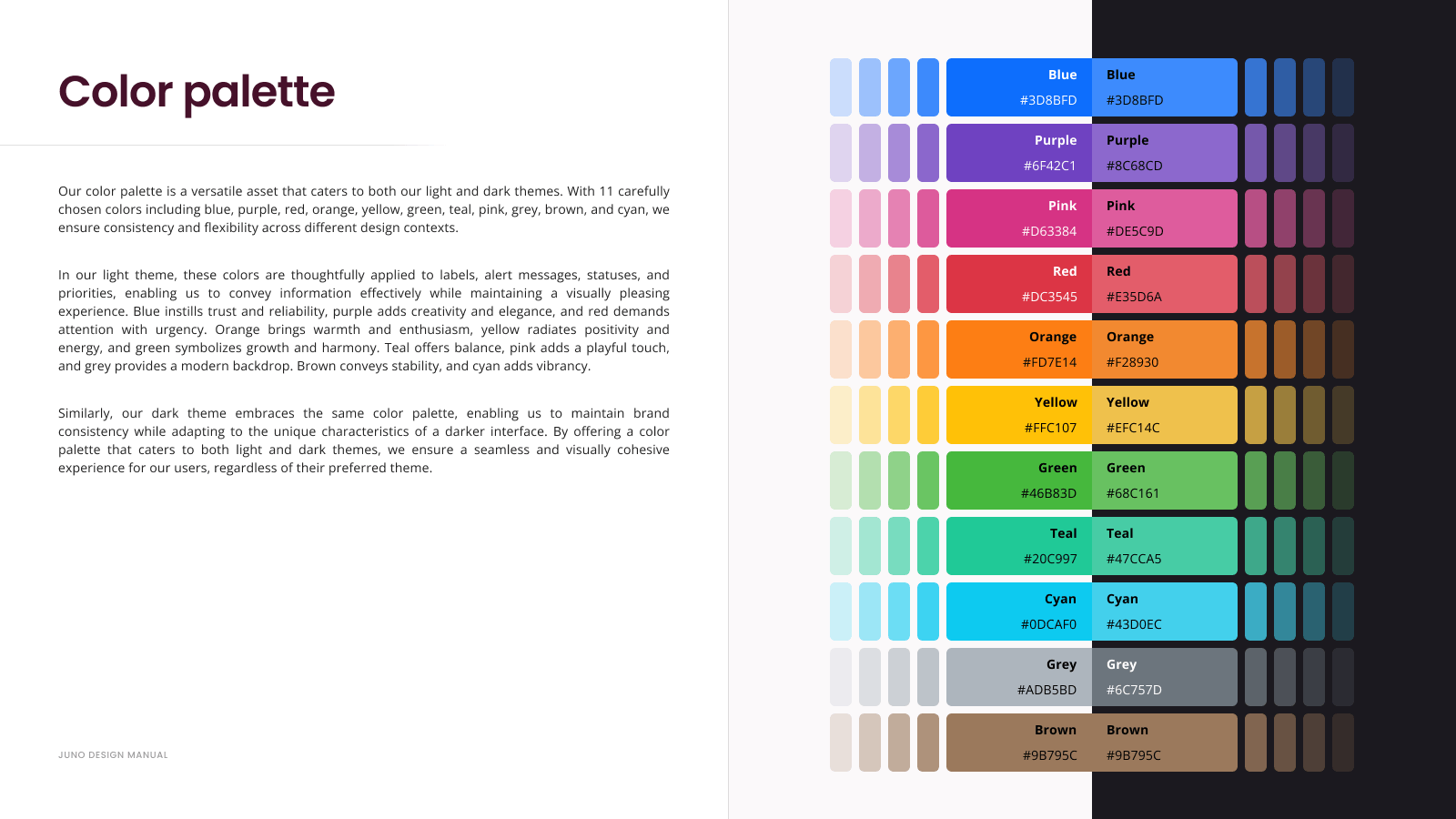
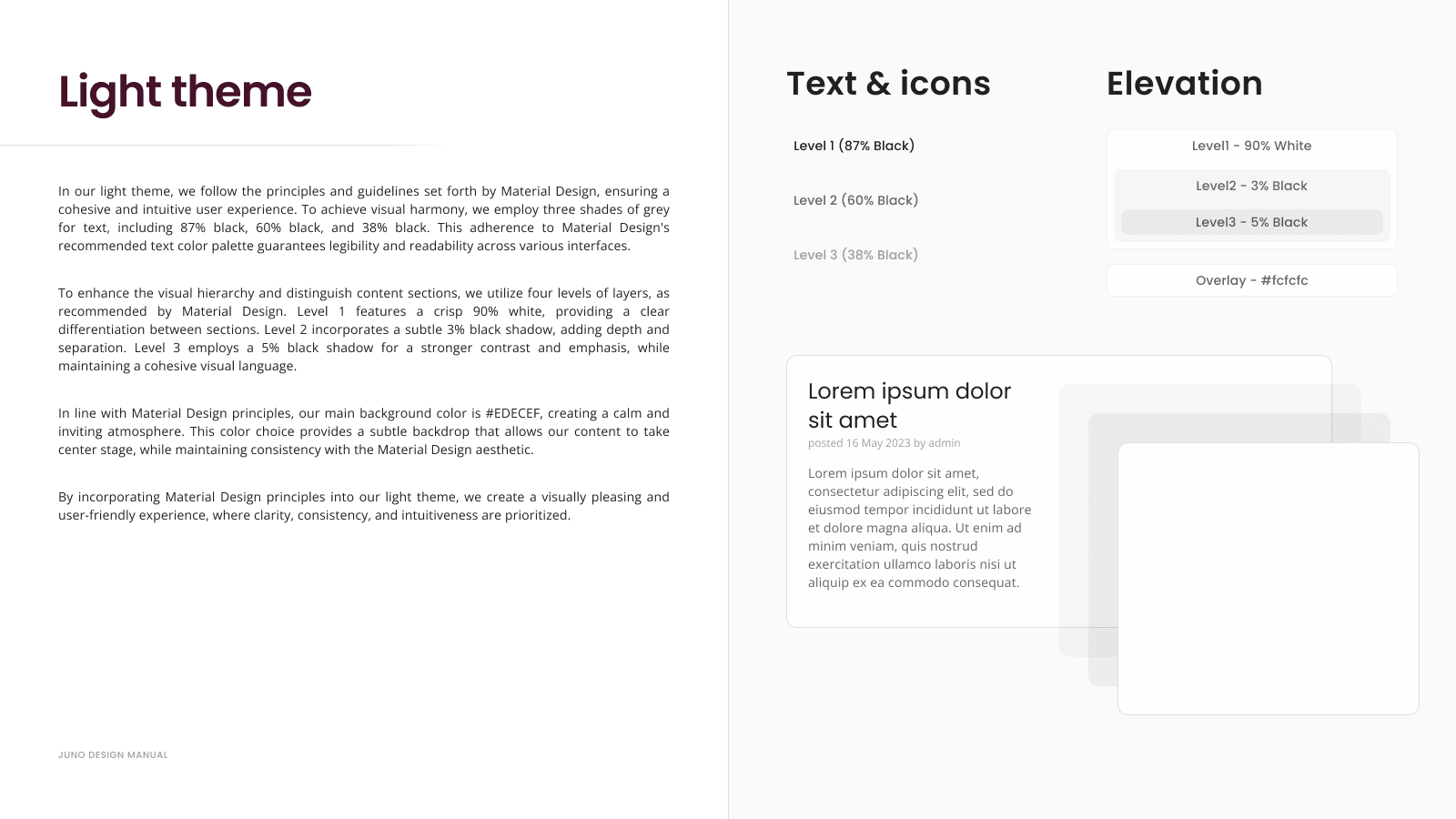
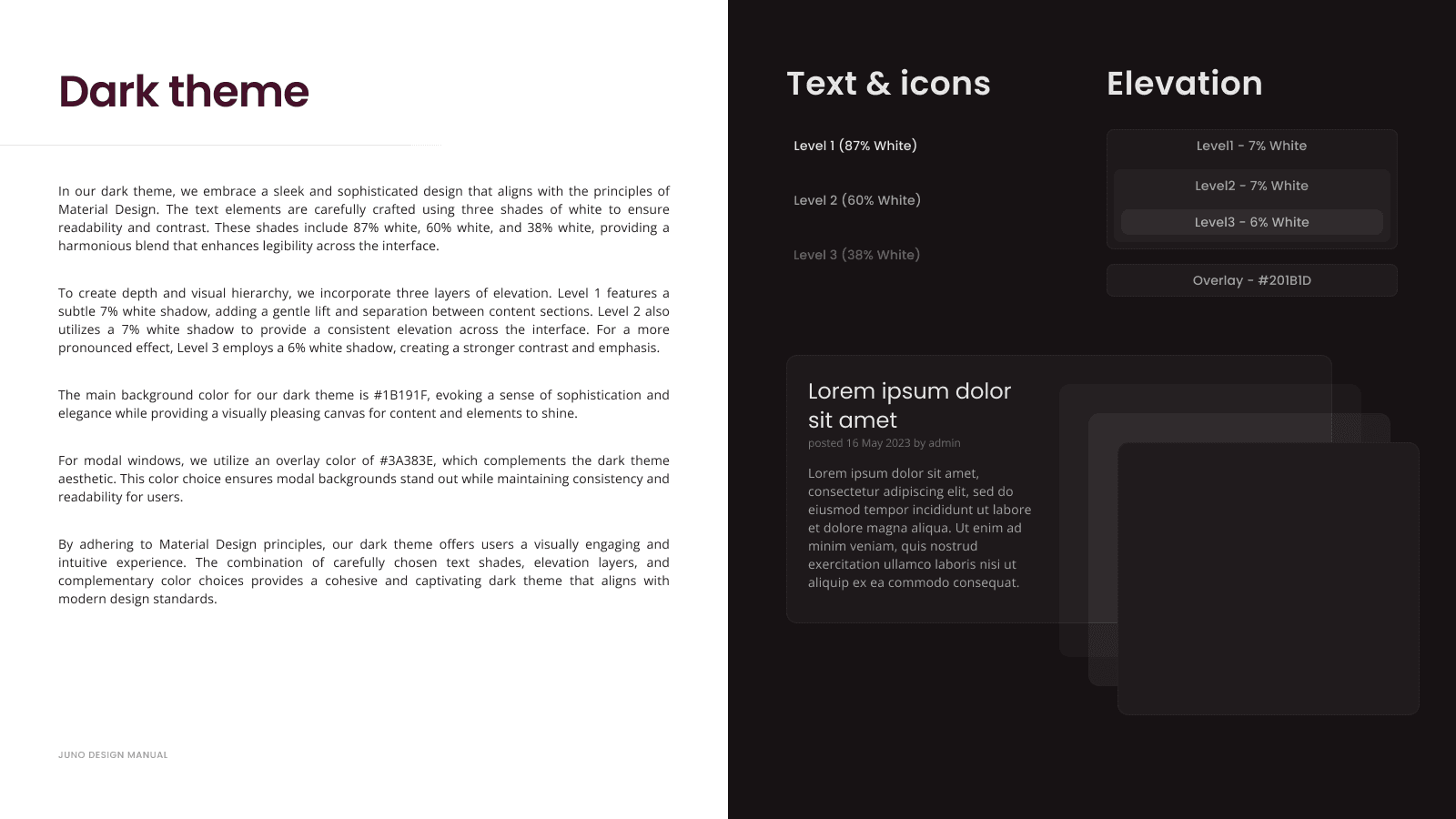
I defined the core visual language of the platform, including typography scale, color system, spacing rules, elevation principles, and grid layout.
The system also supported multiple color themes, allowing the product to adapt to different visual contexts while maintaining consistent hierarchy and readability.
These foundations ensured all modules shared the same design logic.
2. Building a Scalable Component Library
I designed a library of ~30 reusable components covering the most common interface patterns across the product.
Each component included responsive behavior, interaction states, and consistent spacing rules. Components were organized in a structured Figma library to support efficient reuse and easier handoff to development.
This eliminated duplicated UI elements and made it easier to maintain consistency across modules.
3. Expanding the Visual System
Beyond UI components, I created additional assets to improve the overall product experience:
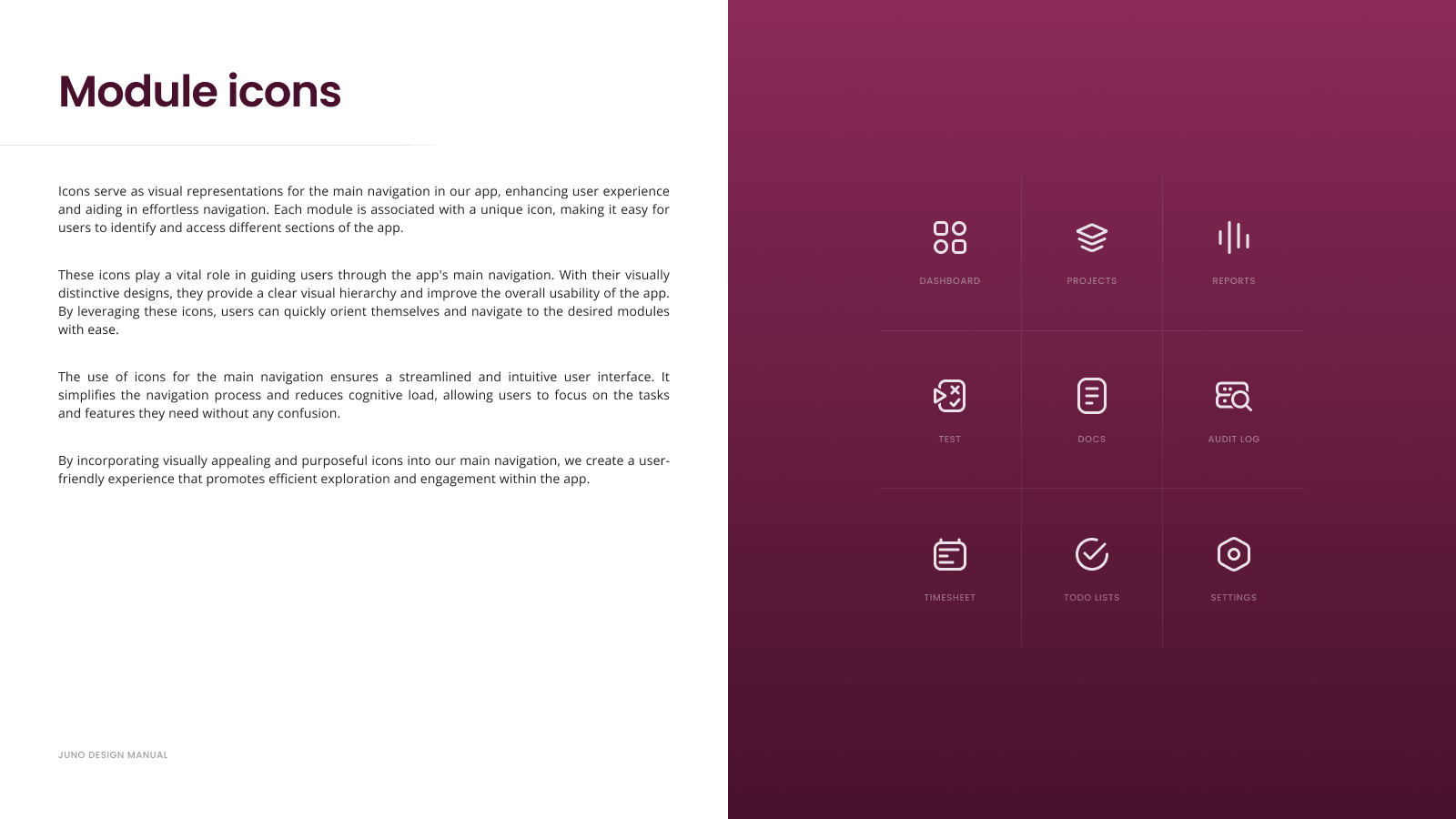
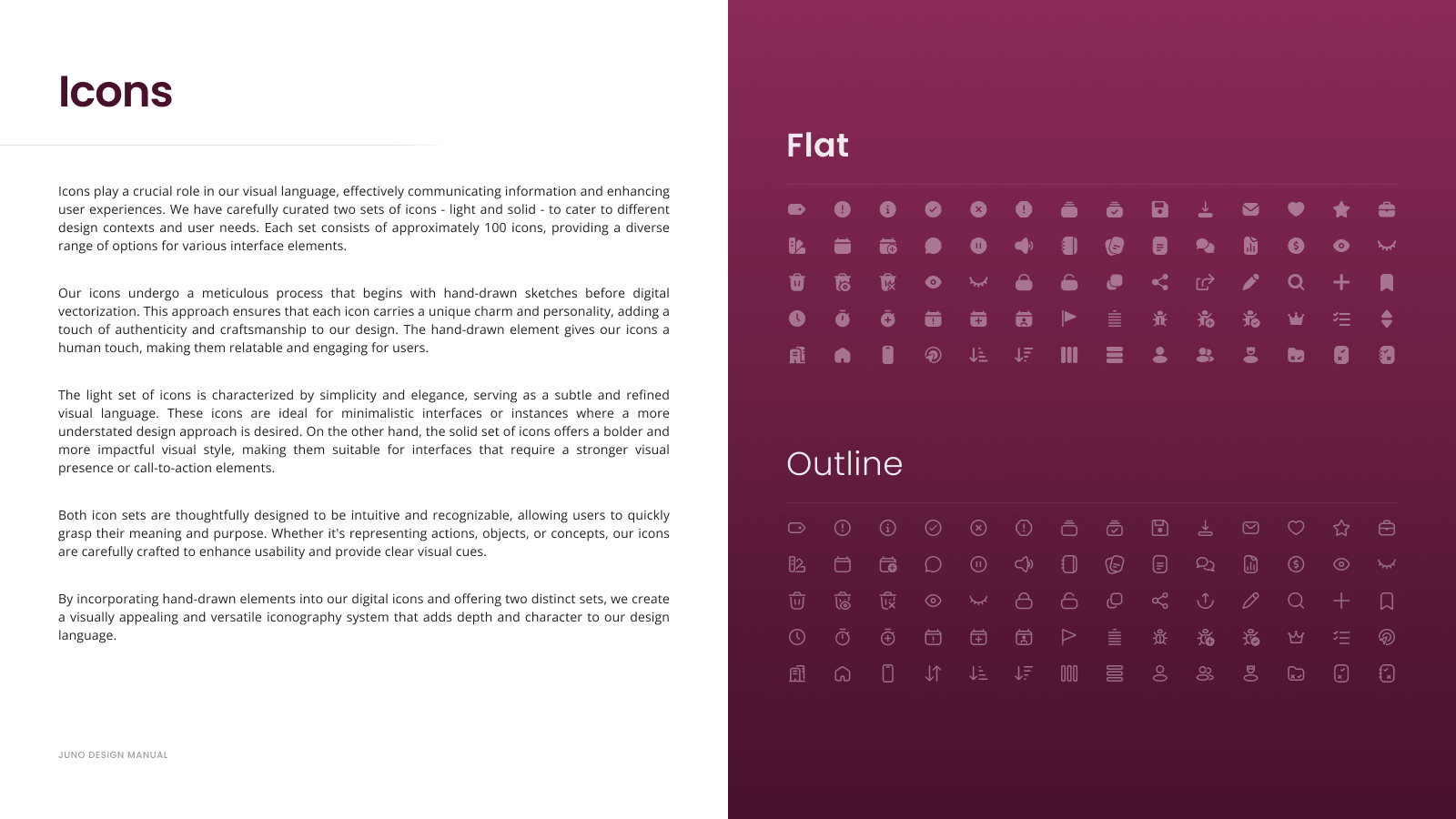
• Iconography system
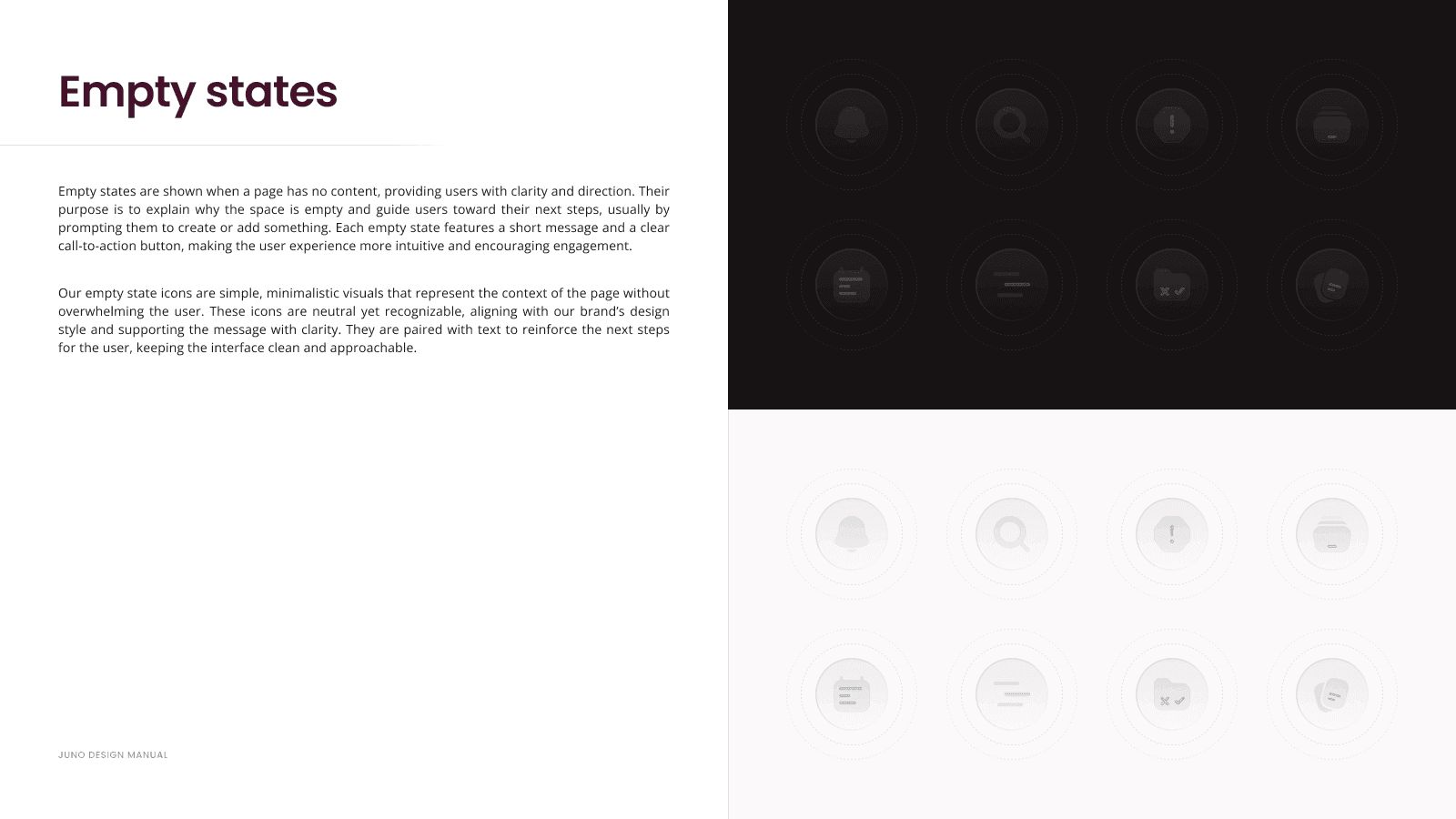
• Illustration set for empty states, errors, success states, and onboarding
• Dark and light theme support
• Consistent UI feedback patterns
These elements helped transform the product from a fragmented interface into a cohesive product experience.
Results
Introducing the design system significantly improved both product quality and development workflow.
The unified component library reduced UI inconsistencies and simplified implementation for developers. The team was able to transition from monthly releases to bi-weekly releases, enabling faster product iteration.
The redesigned UI was well received by existing customers and helped elevate the perceived maturity of the platform.
Sales teams also reported approximately 40% more follow-ups after product demonstrations, suggesting that the improved product experience positively influenced prospect engagement.
Learnings
Implementing a design system in an already developed product requires balancing standardization with practical adoption.
By focusing first on shared foundations and the most frequently used components, the system could be introduced incrementally without disrupting development.
This project reinforced how a well-structured design system can improve product consistency, team efficiency, and perceived product quality at the same time.
Creating a Scalable Design System for a Complex SaaS Platform
Overview
When I joined the juno.one project management platform, the product had already grown into a complex ecosystem of modules including task management, documentation, and test case management. Each module could function almost as a standalone application.
However, the interface had evolved without a design system. UI patterns were inconsistent, components were duplicated in code, and accessibility standards were not considered.
To address this, I designed and introduced a comprehensive design system covering visual foundations, reusable components, and documentation. The goal was to unify the experience across the platform while improving development efficiency and long-term scalability.
Client
juno.one
Timeline
2024
Tools used
Figma
Illustrator
Problem
The product had grown organically without shared UI standards or reusable components.
Each module had its own visual patterns, interaction styles, and layout structures. As a result, the platform looked visually inconsistent and lacked a professional product feel.
From a development perspective, many UI elements were duplicated and hardcoded, which meant even small UI changes required updates in multiple parts of the codebase. This slowed development and increased maintenance complexity.
The absence of accessibility guidelines and structured design principles also made the interface harder to navigate and less intuitive for users.
The challenge was to bring consistency, usability, and scalability to an already developed and feature-rich product.
My role
I was responsible for designing and implementing the design system from scratch.
My responsibilities included:
• Defining visual foundations (color, typography, spacing, elevation)
• Designing reusable UI components and interaction patterns
• Establishing accessibility and usability guidelines
• Creating iconography and illustration sets for product states
• Building a structured Figma component library with documentation
• Collaborating with developers during implementation
The goal was to create a system that would improve product consistency while enabling faster feature delivery.
Actions
The redesign was structured around three core initiatives.
1. Establishing Design Foundations
I defined the core visual language of the platform, including typography scale, color system, spacing rules, elevation principles, and grid layout.
The system also supported multiple color themes, allowing the product to adapt to different visual contexts while maintaining consistent hierarchy and readability.
These foundations ensured all modules shared the same design logic.
2. Building a Scalable Component Library
I designed a library of ~30 reusable components covering the most common interface patterns across the product.
Each component included responsive behavior, interaction states, and consistent spacing rules. Components were organized in a structured Figma library to support efficient reuse and easier handoff to development.
This eliminated duplicated UI elements and made it easier to maintain consistency across modules.
3. Expanding the Visual System
Beyond UI components, I created additional assets to improve the overall product experience:
• Iconography system
• Illustration set for empty states, errors, success states, and onboarding
• Dark and light theme support
• Consistent UI feedback patterns
These elements helped transform the product from a fragmented interface into a cohesive product experience.
Results
Introducing the design system significantly improved both product quality and development workflow.
The unified component library reduced UI inconsistencies and simplified implementation for developers. The team was able to transition from monthly releases to bi-weekly releases, enabling faster product iteration.
The redesigned UI was well received by existing customers and helped elevate the perceived maturity of the platform.
Sales teams also reported approximately 40% more follow-ups after product demonstrations, suggesting that the improved product experience positively influenced prospect engagement.
Learnings
Implementing a design system in an already developed product requires balancing standardization with practical adoption.
By focusing first on shared foundations and the most frequently used components, the system could be introduced incrementally without disrupting development.
This project reinforced how a well-structured design system can improve product consistency, team efficiency, and perceived product quality at the same time.
Creating a Scalable Design System for a Complex SaaS Platform
Overview
When I joined the juno.one project management platform, the product had already grown into a complex ecosystem of modules including task management, documentation, and test case management. Each module could function almost as a standalone application.
However, the interface had evolved without a design system. UI patterns were inconsistent, components were duplicated in code, and accessibility standards were not considered.
To address this, I designed and introduced a comprehensive design system covering visual foundations, reusable components, and documentation. The goal was to unify the experience across the platform while improving development efficiency and long-term scalability.
Client
juno.one
Timeline
2024
Tools used
Figma
Illustrator
Problem
The product had grown organically without shared UI standards or reusable components.
Each module had its own visual patterns, interaction styles, and layout structures. As a result, the platform looked visually inconsistent and lacked a professional product feel.
From a development perspective, many UI elements were duplicated and hardcoded, which meant even small UI changes required updates in multiple parts of the codebase. This slowed development and increased maintenance complexity.
The absence of accessibility guidelines and structured design principles also made the interface harder to navigate and less intuitive for users.
The challenge was to bring consistency, usability, and scalability to an already developed and feature-rich product.
My role
I was responsible for designing and implementing the design system from scratch.
My responsibilities included:
• Defining visual foundations (color, typography, spacing, elevation)
• Designing reusable UI components and interaction patterns
• Establishing accessibility and usability guidelines
• Creating iconography and illustration sets for product states
• Building a structured Figma component library with documentation
• Collaborating with developers during implementation
The goal was to create a system that would improve product consistency while enabling faster feature delivery.
Actions
The redesign was structured around three core initiatives.
1. Establishing Design Foundations
I defined the core visual language of the platform, including typography scale, color system, spacing rules, elevation principles, and grid layout.
The system also supported multiple color themes, allowing the product to adapt to different visual contexts while maintaining consistent hierarchy and readability.
These foundations ensured all modules shared the same design logic.
2. Building a Scalable Component Library
I designed a library of ~30 reusable components covering the most common interface patterns across the product.
Each component included responsive behavior, interaction states, and consistent spacing rules. Components were organized in a structured Figma library to support efficient reuse and easier handoff to development.
This eliminated duplicated UI elements and made it easier to maintain consistency across modules.
3. Expanding the Visual System
Beyond UI components, I created additional assets to improve the overall product experience:
• Iconography system
• Illustration set for empty states, errors, success states, and onboarding
• Dark and light theme support
• Consistent UI feedback patterns
These elements helped transform the product from a fragmented interface into a cohesive product experience.
Results
Introducing the design system significantly improved both product quality and development workflow.
The unified component library reduced UI inconsistencies and simplified implementation for developers. The team was able to transition from monthly releases to bi-weekly releases, enabling faster product iteration.
The redesigned UI was well received by existing customers and helped elevate the perceived maturity of the platform.
Sales teams also reported approximately 40% more follow-ups after product demonstrations, suggesting that the improved product experience positively influenced prospect engagement.
Learnings
Implementing a design system in an already developed product requires balancing standardization with practical adoption.
By focusing first on shared foundations and the most frequently used components, the system could be introduced incrementally without disrupting development.
This project reinforced how a well-structured design system can improve product consistency, team efficiency, and perceived product quality at the same time.