Redesigning Docs for Scalable Knowledge & Seamless Collaboration
Overview
The Docs module in juno.one is designed to support internal documentation, knowledge sharing, and collaboration across teams.
The original solution relied on a markdown-based editor and reused patterns from other modules, which made it difficult for non-technical users and unsuitable for structured documentation.
I led the end-to-end redesign, focusing on creating a clean writing experience, intuitive navigation, and strong integration with the rest of the product.
Client
juno.one
Timeline
2023
Tools used
Figma
ChatGPT
Miro
Jitter
Illustrator
Problem
The existing editor was built on markdown and inherited interaction patterns from modules like issues and test cases, which were not suited for document-based workflows.
This created friction for non-technical users and made content creation unnecessarily complex.
There was no clear structure for organizing documents, navigation across pages was limited, and linking documentation with issues or workflows was weak.
As a result, teams relied on external tools like Confluence for managing knowledge, fragmenting the workflow.
The challenge was to design a system that would replace external documentation tools while fitting into an existing product ecosystem.
My role
I was responsible for redesigning the Docs module end-to-end.
My responsibilities included:
• Designing a new editor experience and interaction patterns
• Defining document structure (spaces, pages, hierarchy)
• Creating navigation and search across documentation
• Integrating docs with issues and permission systems
• Aligning the module with the design system and product ecosystem
The goal was to create a solution that is simple to use, yet powerful enough for team-wide knowledge management.
Actions
The redesign focused on three key areas.
1. Simplifying the Writing Experience
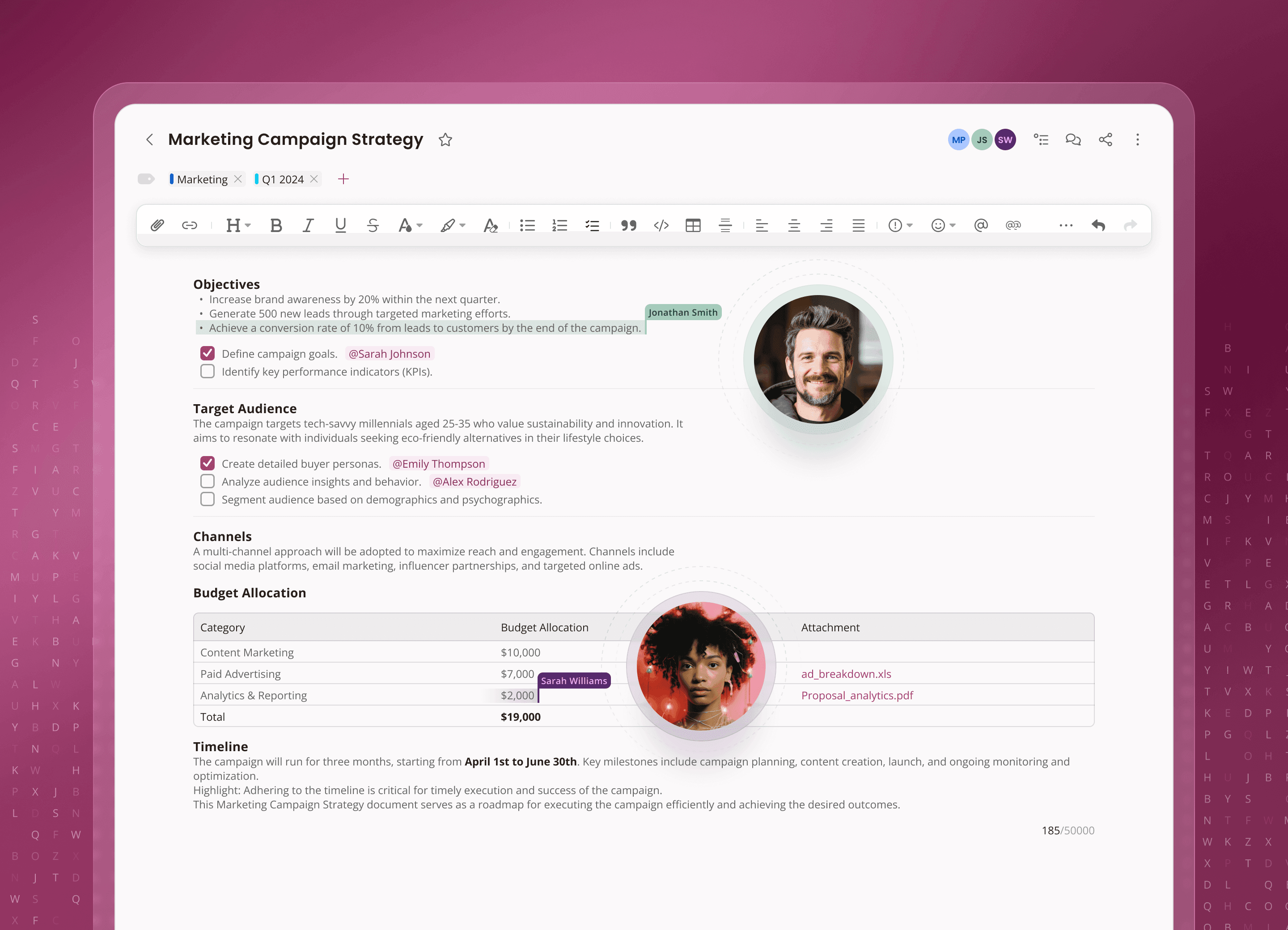
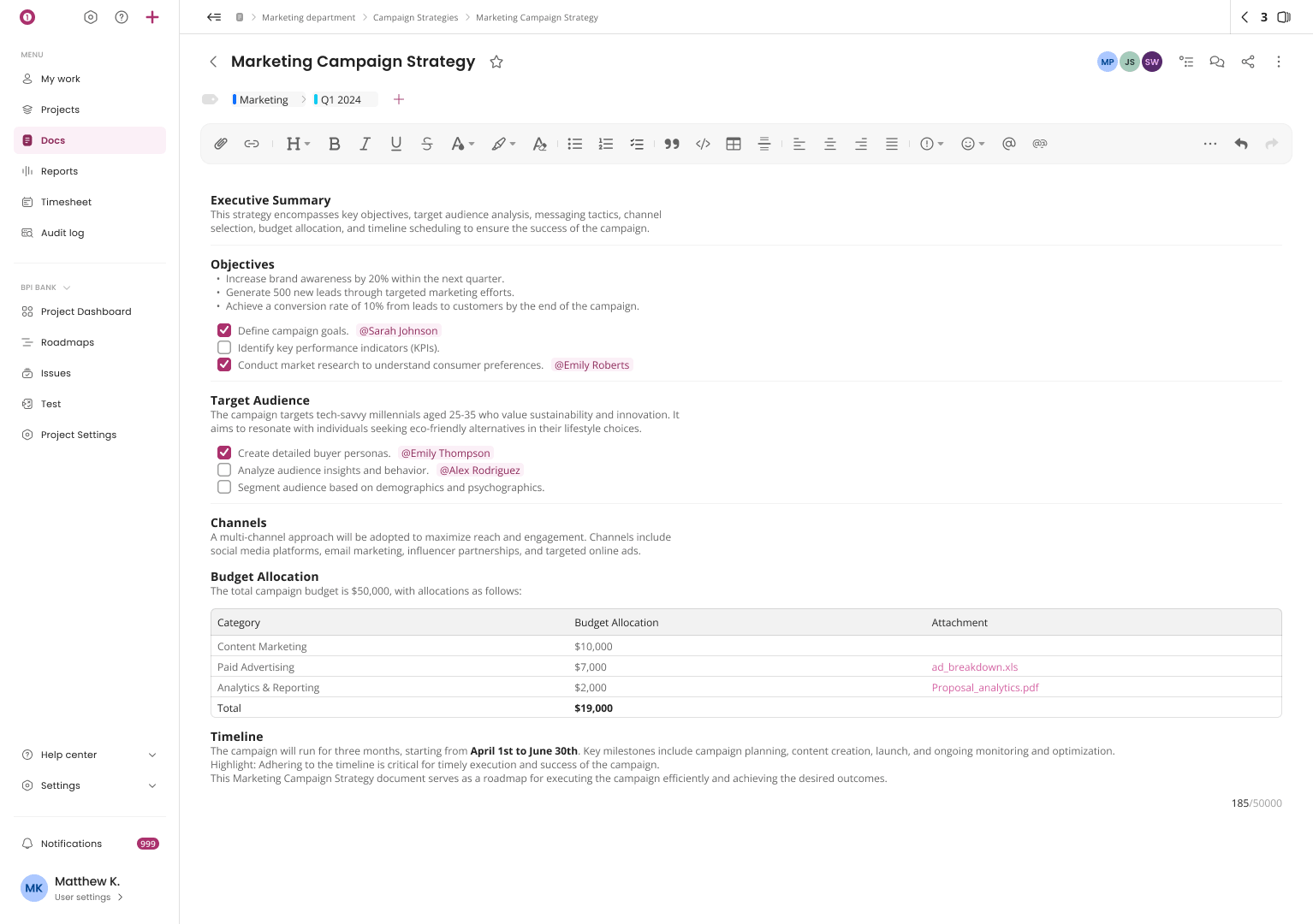
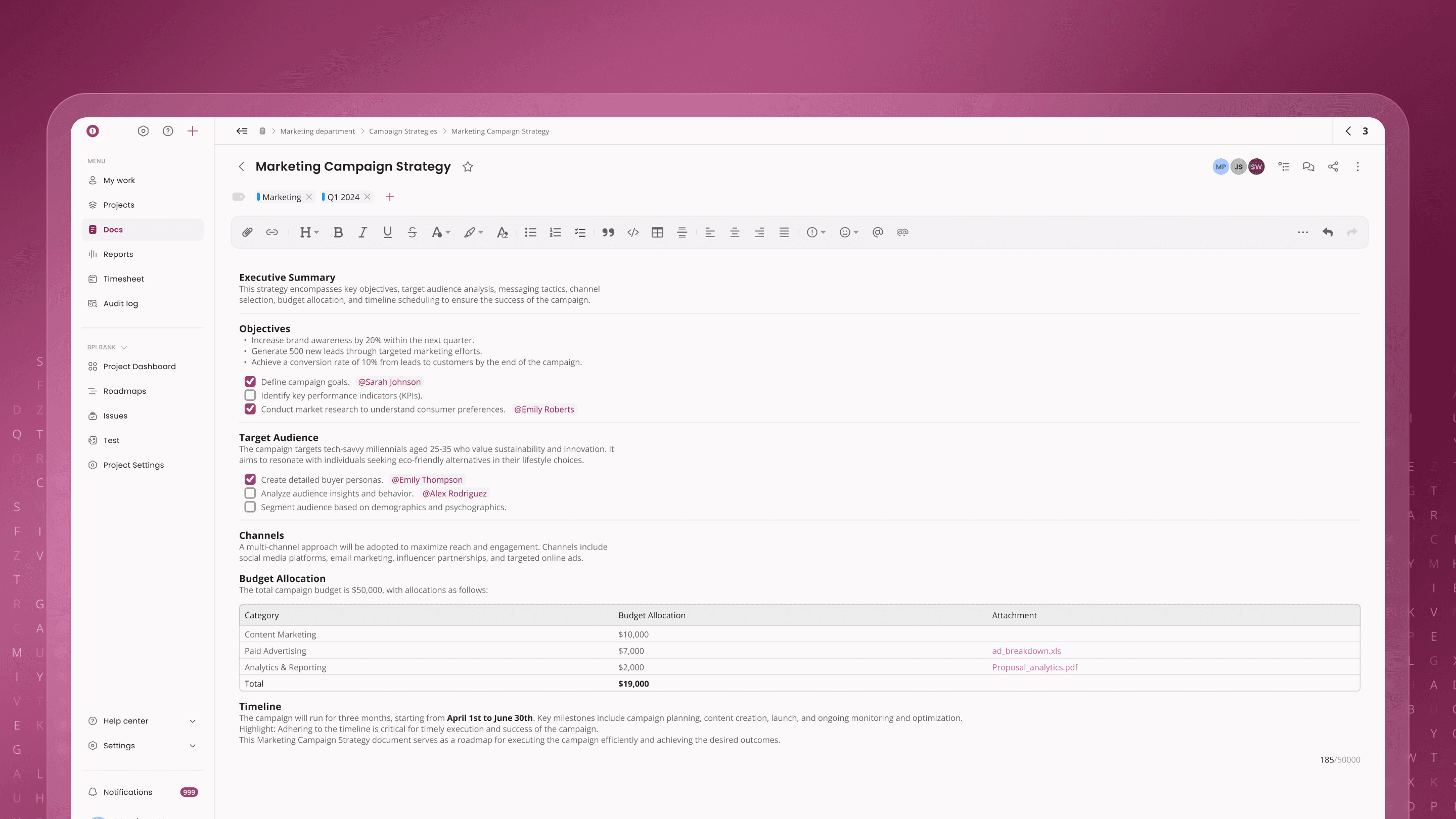
I replaced the markdown-based editor with a clean, intuitive rich text editor.
The new experience reduces friction for non-technical users while still supporting structured content and formatting.
The interface was designed to be distraction-free, allowing users to focus on writing without unnecessary complexity.
2. Structuring Documentation & Navigation
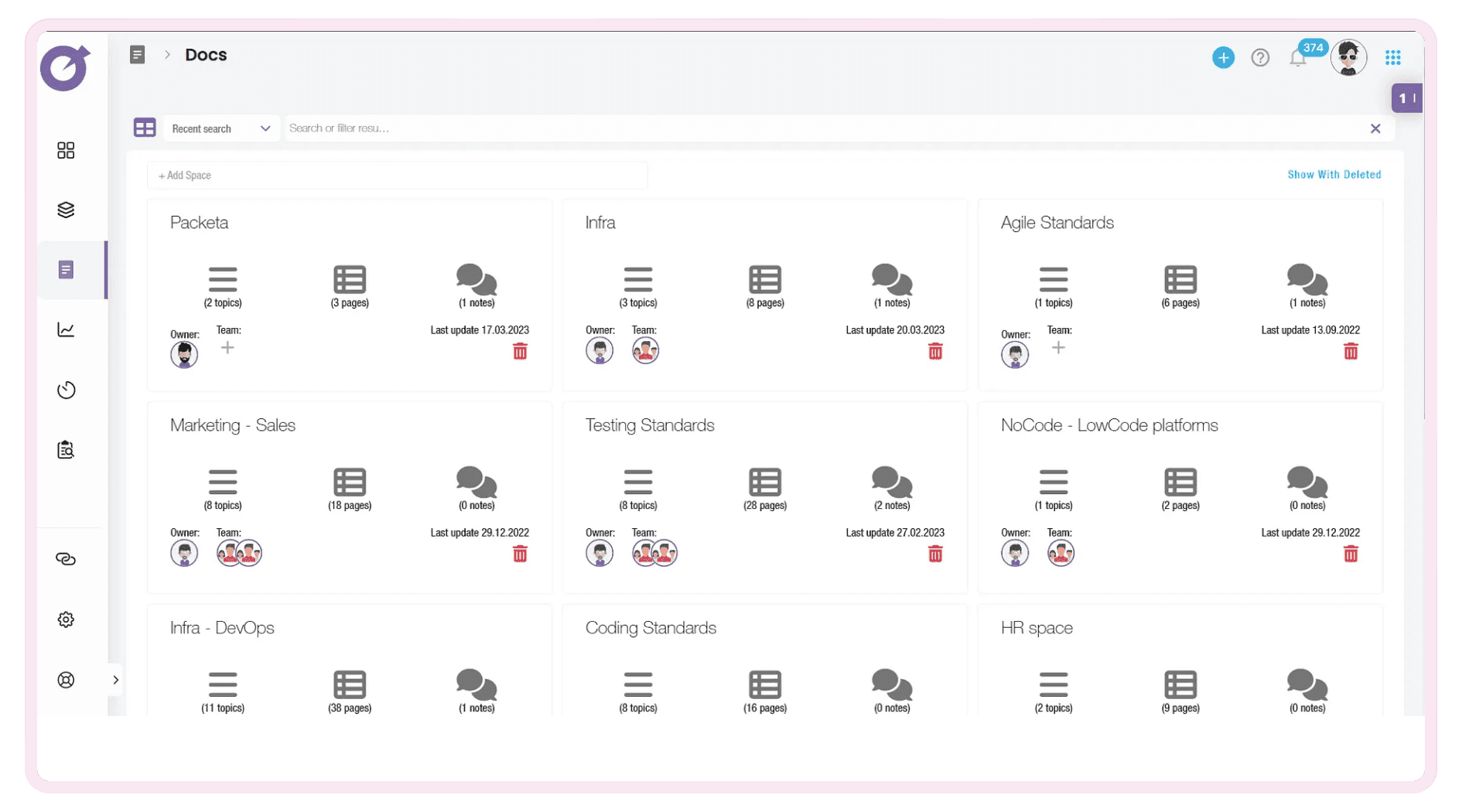
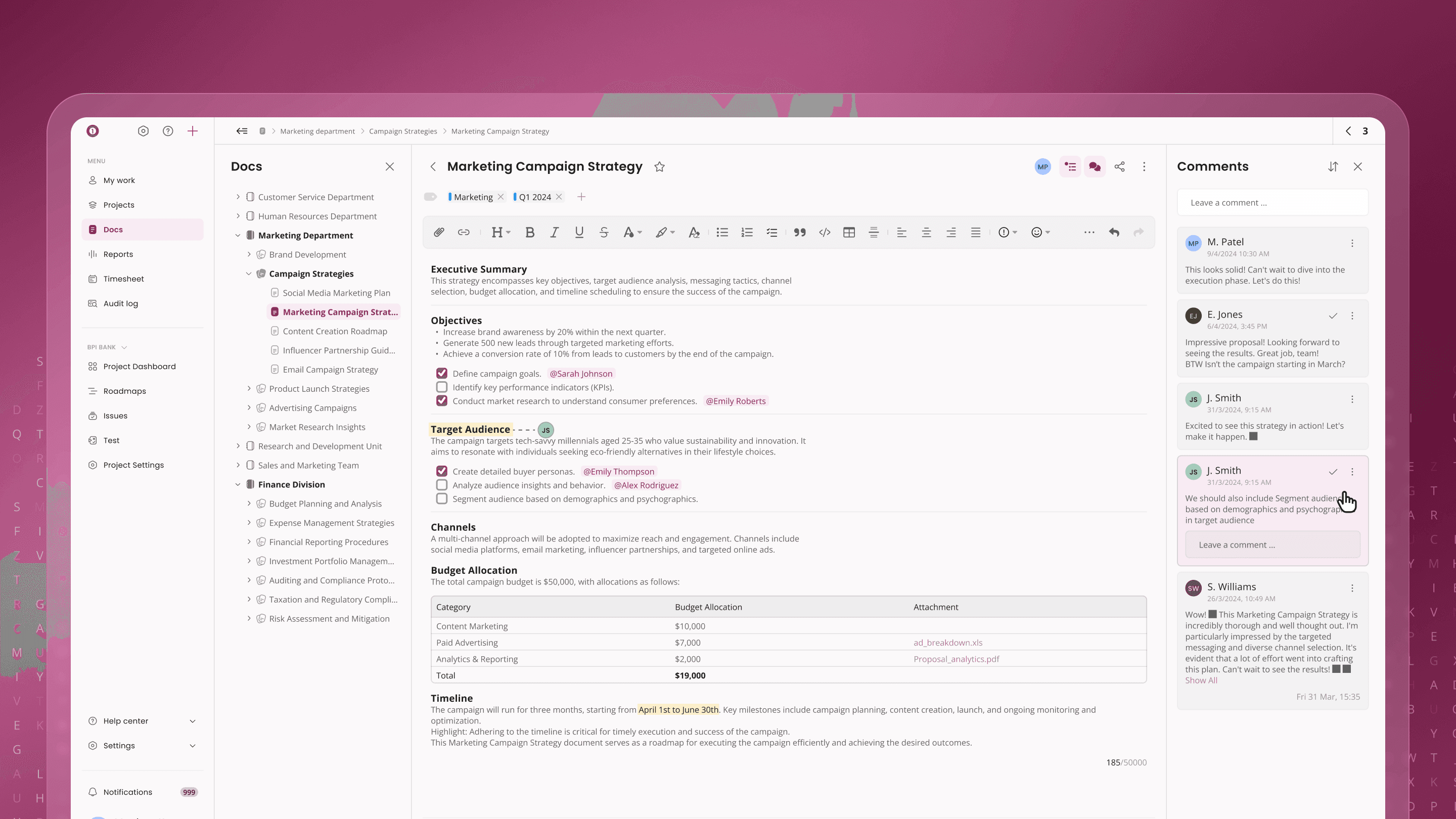
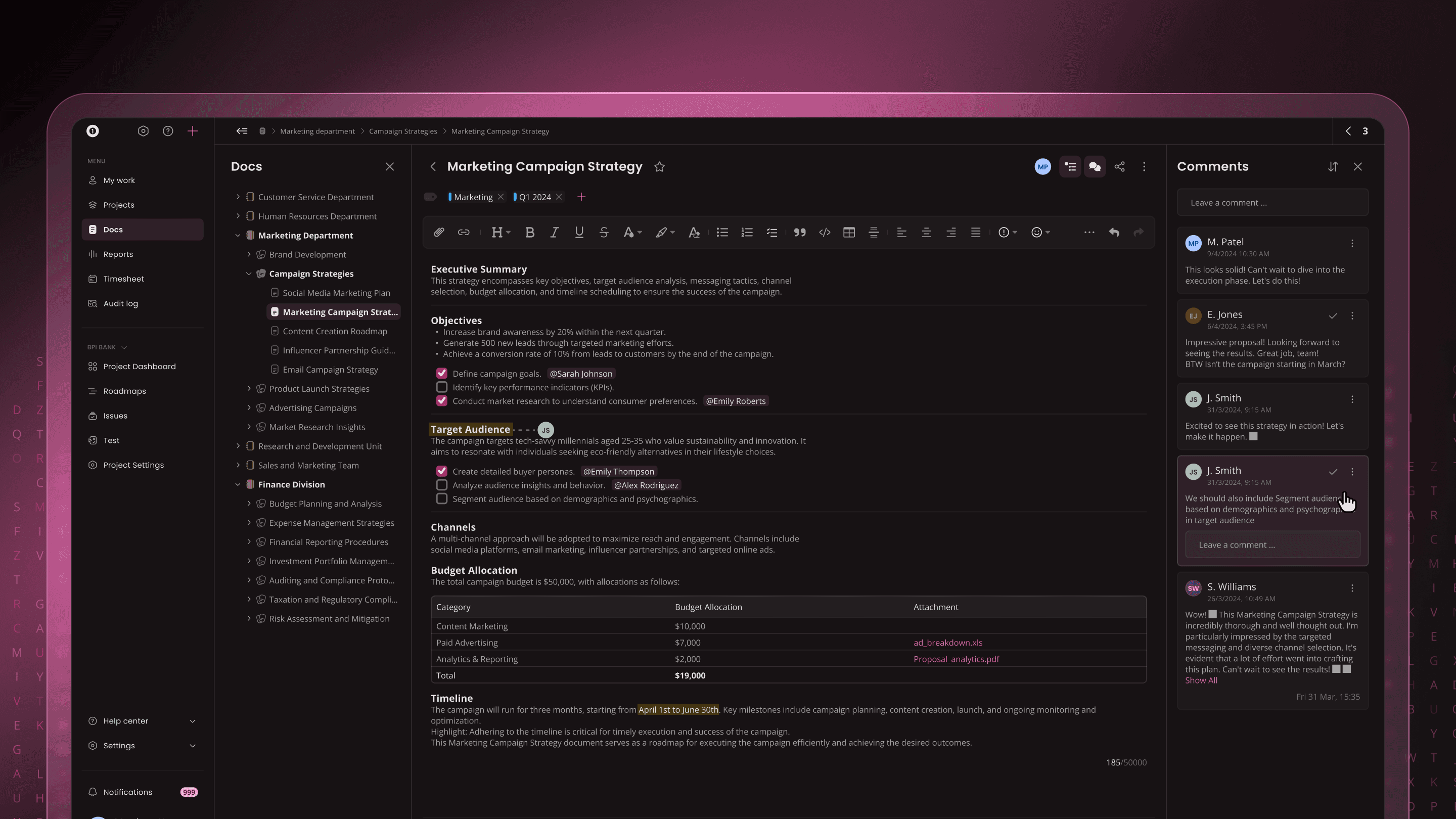
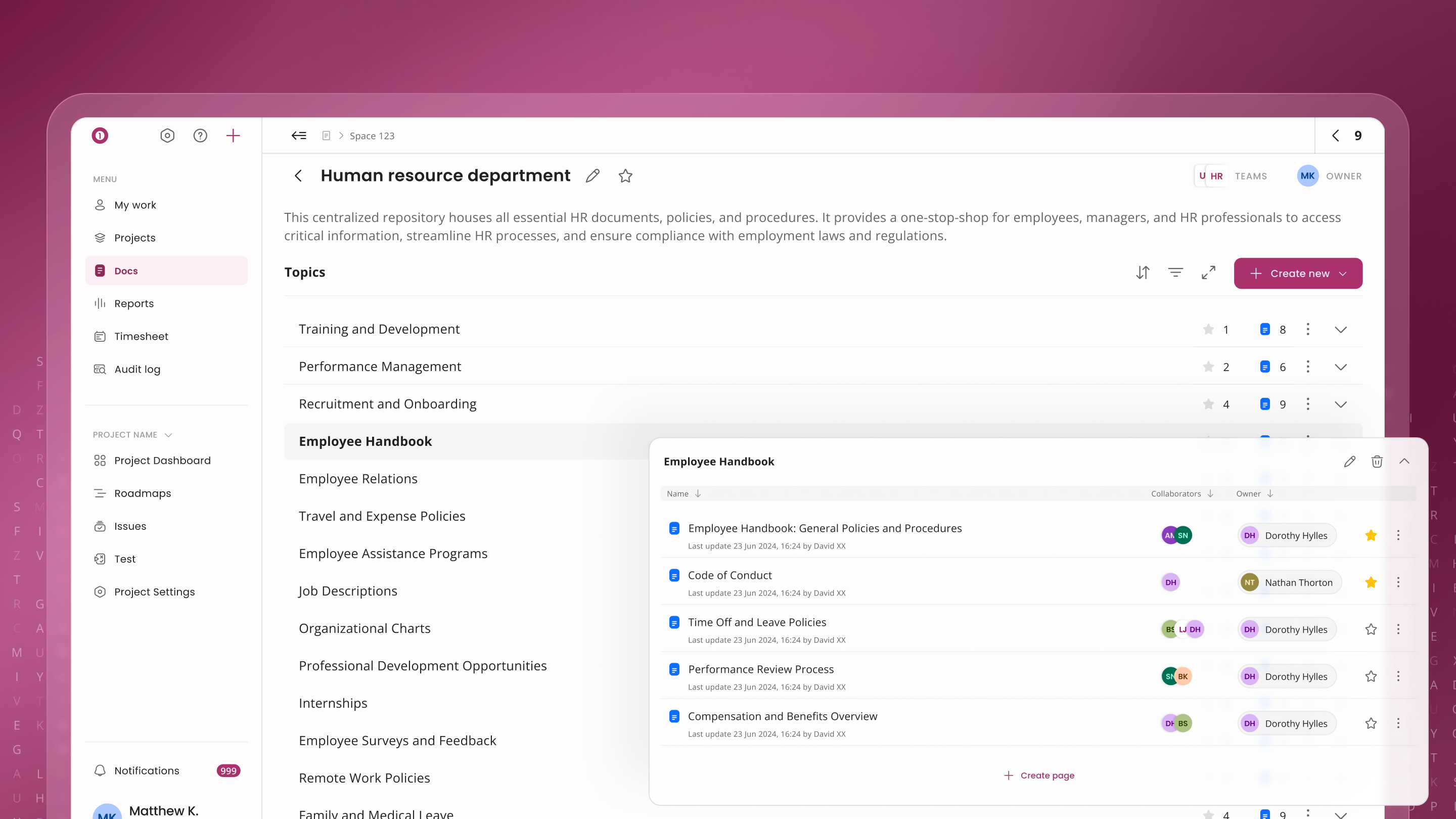
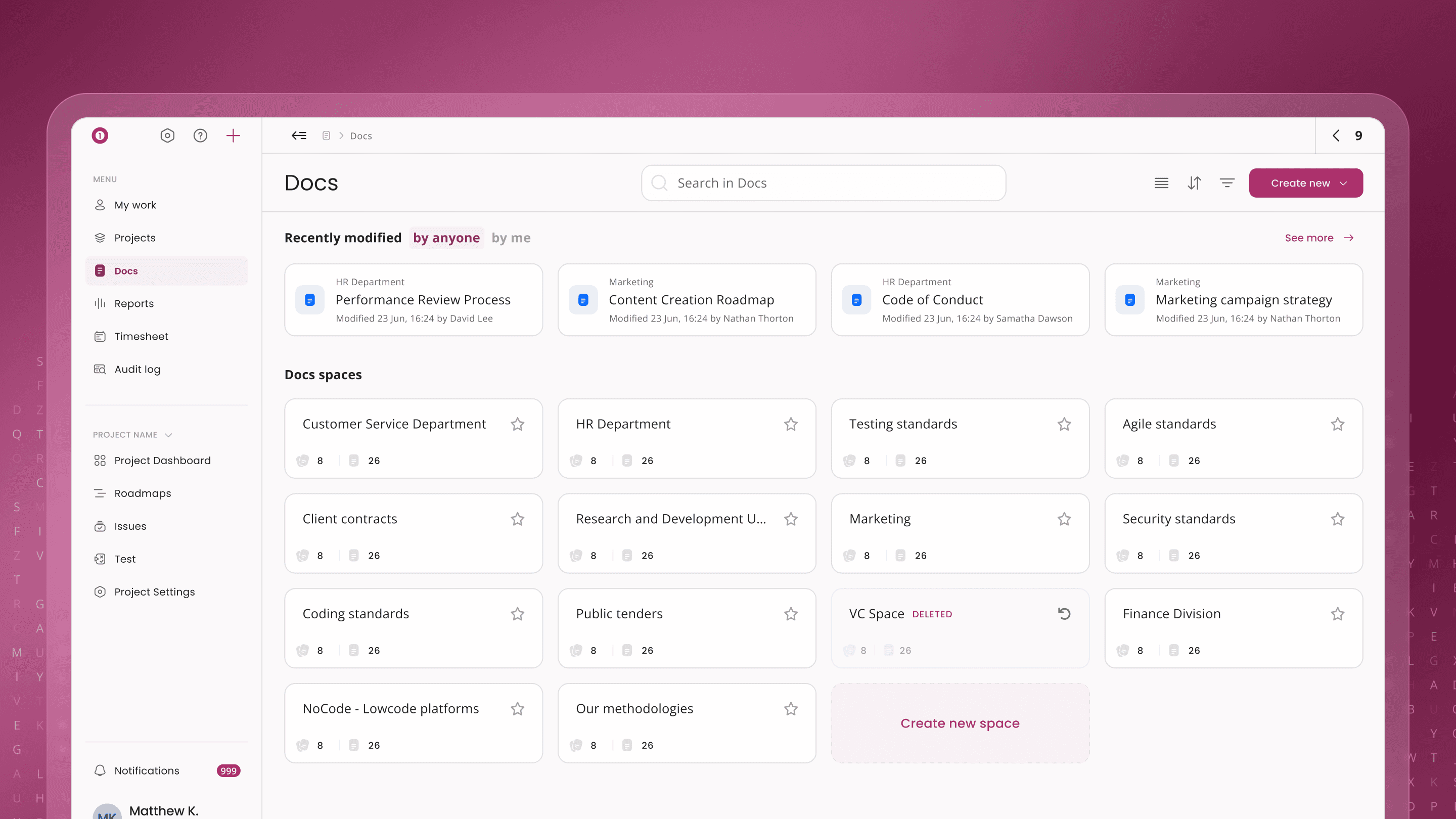
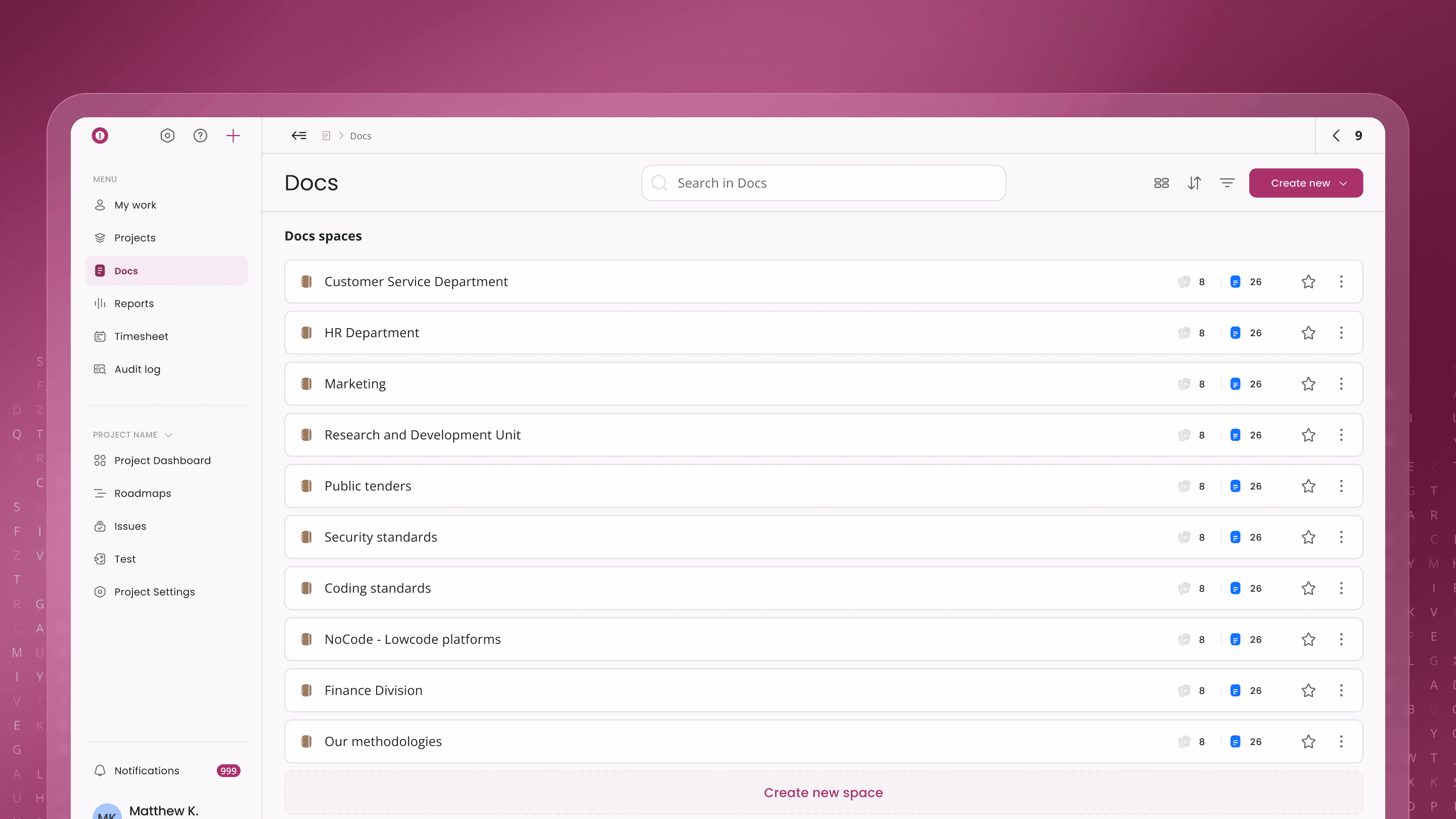
I introduced a clear system for organizing content using spaces, pages, and hierarchical navigation.
Users can manage documents through multiple views (list, card, space detail), making it easier to browse and maintain large sets of documentation.
This improved discoverability and scalability of knowledge across the product.
3. Connecting Docs with Product Workflows
To make documentation part of everyday workflows, I integrated Docs with other modules:
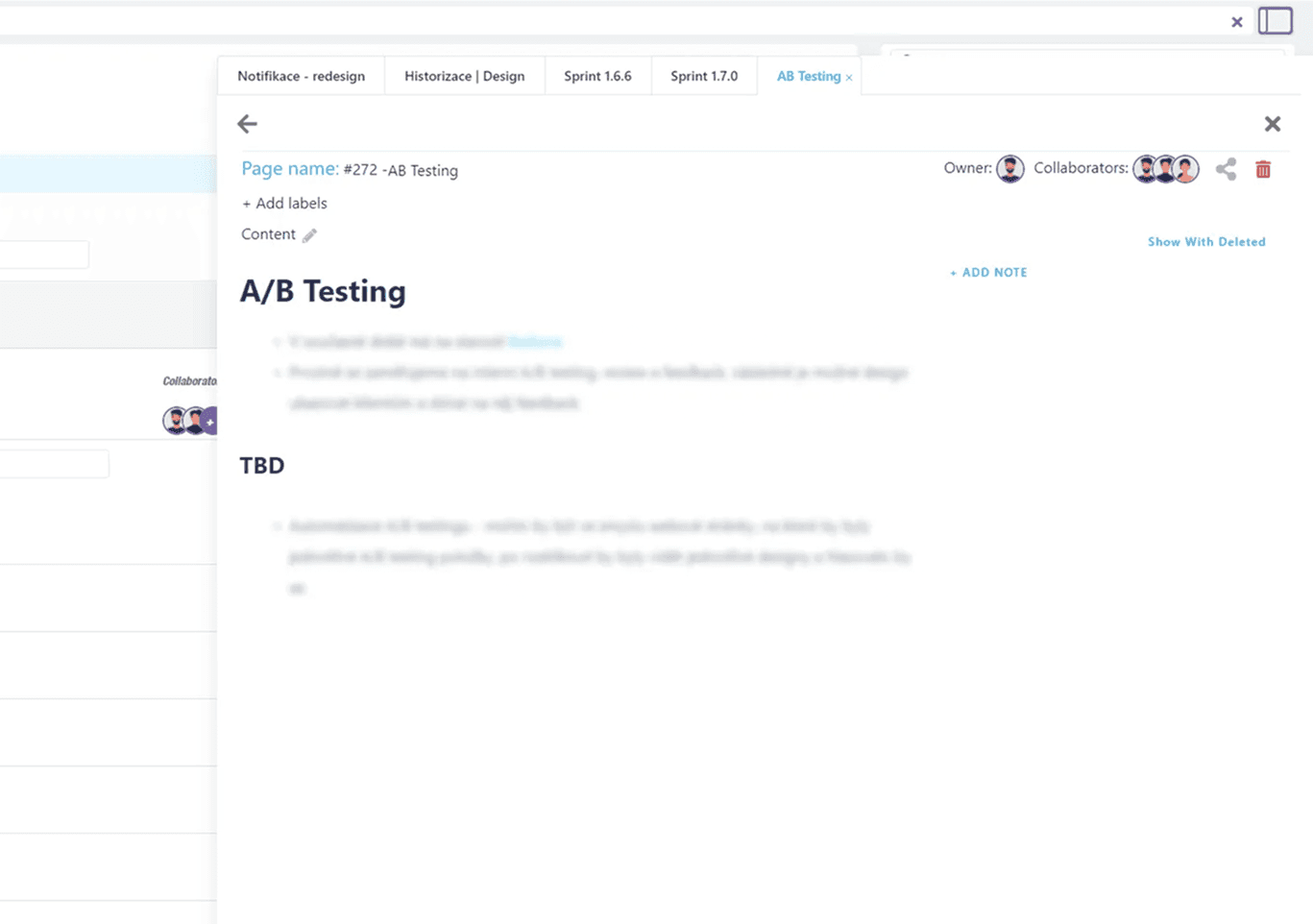
• Linking documents to issues and tasks
• Mentions and cross-references within content
• Permission-based access control
This ensured documentation is not isolated, but directly connected to product usage and team collaboration.
Results
The redesigned module provided a more accessible and structured approach to documentation.
Teams began relying more on the internal Docs module, reducing the need for external tools and keeping knowledge within the product ecosystem.
The improved editor and navigation made it easier to create, manage, and share information across teams.
Learnings
Designing a documentation tool requires balancing simplicity and flexibility.
Replacing a markdown-based system highlighted the importance of lowering the barrier for non-technical users while still supporting structured content.
This project reinforced that documentation should be seamlessly integrated into workflows, not treated as a separate tool.
Redesigning Docs for Scalable Knowledge & Seamless Collaboration
Overview
The Docs module in juno.one is designed to support internal documentation, knowledge sharing, and collaboration across teams.
The original solution relied on a markdown-based editor and reused patterns from other modules, which made it difficult for non-technical users and unsuitable for structured documentation.
I led the end-to-end redesign, focusing on creating a clean writing experience, intuitive navigation, and strong integration with the rest of the product.
Client
juno.one
Timeline
2023
Tools used
Figma
ChatGPT
Miro
Jitter
Illustrator
Problem
The existing editor was built on markdown and inherited interaction patterns from modules like issues and test cases, which were not suited for document-based workflows.
This created friction for non-technical users and made content creation unnecessarily complex.
There was no clear structure for organizing documents, navigation across pages was limited, and linking documentation with issues or workflows was weak.
As a result, teams relied on external tools like Confluence for managing knowledge, fragmenting the workflow.
The challenge was to design a system that would replace external documentation tools while fitting into an existing product ecosystem.
My role
I was responsible for redesigning the Docs module end-to-end.
My responsibilities included:
• Designing a new editor experience and interaction patterns
• Defining document structure (spaces, pages, hierarchy)
• Creating navigation and search across documentation
• Integrating docs with issues and permission systems
• Aligning the module with the design system and product ecosystem
The goal was to create a solution that is simple to use, yet powerful enough for team-wide knowledge management.
Actions
The redesign focused on three key areas.
1. Simplifying the Writing Experience
I replaced the markdown-based editor with a clean, intuitive rich text editor.
The new experience reduces friction for non-technical users while still supporting structured content and formatting.
The interface was designed to be distraction-free, allowing users to focus on writing without unnecessary complexity.
2. Structuring Documentation & Navigation
I introduced a clear system for organizing content using spaces, pages, and hierarchical navigation.
Users can manage documents through multiple views (list, card, space detail), making it easier to browse and maintain large sets of documentation.
This improved discoverability and scalability of knowledge across the product.
3. Connecting Docs with Product Workflows
To make documentation part of everyday workflows, I integrated Docs with other modules:
• Linking documents to issues and tasks
• Mentions and cross-references within content
• Permission-based access control
This ensured documentation is not isolated, but directly connected to product usage and team collaboration.
Results
The redesigned module provided a more accessible and structured approach to documentation.
Teams began relying more on the internal Docs module, reducing the need for external tools and keeping knowledge within the product ecosystem.
The improved editor and navigation made it easier to create, manage, and share information across teams.
Learnings
Designing a documentation tool requires balancing simplicity and flexibility.
Replacing a markdown-based system highlighted the importance of lowering the barrier for non-technical users while still supporting structured content.
This project reinforced that documentation should be seamlessly integrated into workflows, not treated as a separate tool.
Redesigning Docs for Scalable Knowledge & Seamless Collaboration
Overview
The Docs module in juno.one is designed to support internal documentation, knowledge sharing, and collaboration across teams.
The original solution relied on a markdown-based editor and reused patterns from other modules, which made it difficult for non-technical users and unsuitable for structured documentation.
I led the end-to-end redesign, focusing on creating a clean writing experience, intuitive navigation, and strong integration with the rest of the product.
Client
juno.one
Timeline
2023
Tools used
Figma
ChatGPT
Miro
Jitter
Illustrator
Problem
The existing editor was built on markdown and inherited interaction patterns from modules like issues and test cases, which were not suited for document-based workflows.
This created friction for non-technical users and made content creation unnecessarily complex.
There was no clear structure for organizing documents, navigation across pages was limited, and linking documentation with issues or workflows was weak.
As a result, teams relied on external tools like Confluence for managing knowledge, fragmenting the workflow.
The challenge was to design a system that would replace external documentation tools while fitting into an existing product ecosystem.
My role
I was responsible for redesigning the Docs module end-to-end.
My responsibilities included:
• Designing a new editor experience and interaction patterns
• Defining document structure (spaces, pages, hierarchy)
• Creating navigation and search across documentation
• Integrating docs with issues and permission systems
• Aligning the module with the design system and product ecosystem
The goal was to create a solution that is simple to use, yet powerful enough for team-wide knowledge management.
Actions
The redesign focused on three key areas.
1. Simplifying the Writing Experience
I replaced the markdown-based editor with a clean, intuitive rich text editor.
The new experience reduces friction for non-technical users while still supporting structured content and formatting.
The interface was designed to be distraction-free, allowing users to focus on writing without unnecessary complexity.
2. Structuring Documentation & Navigation
I introduced a clear system for organizing content using spaces, pages, and hierarchical navigation.
Users can manage documents through multiple views (list, card, space detail), making it easier to browse and maintain large sets of documentation.
This improved discoverability and scalability of knowledge across the product.
3. Connecting Docs with Product Workflows
To make documentation part of everyday workflows, I integrated Docs with other modules:
• Linking documents to issues and tasks
• Mentions and cross-references within content
• Permission-based access control
This ensured documentation is not isolated, but directly connected to product usage and team collaboration.
Results
The redesigned module provided a more accessible and structured approach to documentation.
Teams began relying more on the internal Docs module, reducing the need for external tools and keeping knowledge within the product ecosystem.
The improved editor and navigation made it easier to create, manage, and share information across teams.
Learnings
Designing a documentation tool requires balancing simplicity and flexibility.
Replacing a markdown-based system highlighted the importance of lowering the barrier for non-technical users while still supporting structured content.
This project reinforced that documentation should be seamlessly integrated into workflows, not treated as a separate tool.